Year-End Tax Checklist for Kenyan Businesses (2026)
Most years, December is about closing the books and planning for January. This year there is more at stake. KRA's tax amnesty closes on 31 December, the 2026 year is the first in which every expense you claim must be backed by an eTIMS invoice, and KRA has told businesses to keep proper stock records ahead of a new eTIMS stock feature. Each of these is much easier to deal with now than after the year has closed.
This checklist covers what to do before 31 December, and the deadlines that follow in early 2027. It assumes a business with a December year end; if yours is different, the same steps apply to your own year end.
1. Clear Old Tax Debts Before the Amnesty Closes
The 2026 tax amnesty, re-introduced by the Finance Act 2026, waives 100% of penalties, interest and fines on tax debts for periods up to 31 December 2025. The window runs from 1 July to 31 December 2026. The condition is simple: the principal tax has to be paid in full.
- If you owe only penalties and interest, with no principal outstanding, the waiver is automatic.
- If you owe principal, pay it in full before 31 December, or apply on iTax for a payment plan. Under a plan, all the principal must still be cleared by 31 December 2026.
- If you have unfiled returns for past periods, file them within the window. Late-filing penalties are waived where no principal is due.
- Customs duties are not covered, and penalties and interest for periods from 1 January 2026 are payable in full.
On iTax, KRA's guidance is to generate the payment for the relevant tax and period, reduce the amount to the principal only, and pay. The penalties and interest are reversed once the principal is settled. Interest keeps building up on unpaid principal while the window is open, and anything left unpaid after 31 December becomes fully recoverable, so the earlier you check your iTax ledger, the better.
2. Collect an eTIMS Invoice for Every 2026 Expense
Since 1 January 2026, KRA has been checking the income and expenses declared in income tax returns against three sources: TIMS and eTIMS invoices, withholding tax records, and customs import records. For 2025 returns, KRA allowed a one-time concession for valid expenses without eTIMS invoices. That concession has ended. For the 2026 year of income, an expense that isn't backed by a valid electronic tax invoice carrying your KRA PIN is likely to be disallowed, which increases your taxable profit.
Some expenses are excluded from this check, including salaries, imports and interest. KRA's income and expense validation guide has the full list. For everything else, the work is best done now, while suppliers can still issue invoices for this year:
- Run a report of every 2026 purchase and expense, and mark which ones have an eTIMS invoice number against them.
- Ask suppliers for any missing invoices now, not in March. Many will need time to issue them.
- Check that each invoice carries your KRA PIN. An invoice issued without your PIN is recorded as a sale to a final consumer and won't count as your expense. eTIMS invoices can't be edited or cancelled, so the supplier has to issue a credit note and a new invoice with your PIN.
- For purchases from small suppliers or farmers who can't issue eTIMS invoices, use buyer-initiated invoicing, where you raise the invoice and the seller approves it.
- Ask your KRA account manager for your TIMS and eTIMS schedule for the year, and compare it with your own records.
3. Make Sure Your Sales Match What KRA Sees
The same validation works on the income side. KRA can see every eTIMS invoice you issued and the withholding tax your customers deducted from payments to you. If the sales in your accounts don't match those figures, expect questions.
- Reconcile total sales in your accounts with the total of eTIMS invoices you issued for the year.
- Make sure every return, discount or cancelled sale went through eTIMS as a credit note. Voiding a sale in your own system doesn't change KRA's records.
- Match the withholding tax certificates you received against your customer receipts, and chase customers for any that are missing.
Keep eTIMS and Your Books in Step
ERP Kenya sets up ERPNext so invoices and credit notes reach eTIMS through an approved integrator, keeping your sales and KRA's records in step.
How eTIMS Works With ERPNext4. Pay the Final Instalment Tax by 20 December
Companies pay income tax in four instalments during the year, on the 20th day of the 4th, 6th, 9th and 12th months of their financial year. For a December year end, the last instalment is due on 20 December. Each instalment is a quarter of the year's expected tax, calculated either on this year's estimate or on last year's tax plus 10%; your accountant can confirm which basis suits you. Any balance is due by 30 April, four months after year end.
If the year has gone better or worse than planned, now is the time to update your estimate, before the final instalment is paid.
5. Count Your Stock Properly
In a public notice issued in September 2026, KRA told all businesses using TIMS and eTIMS to keep proper records of stock that is purchased or received, sold, transferred, returned, adjusted or otherwise disposed of. KRA is preparing a stock management feature within eTIMS and has held consultations with businesses. It hasn't confirmed a start date, but the direction is clear: KRA will increasingly compare your stock movements with your invoices.
A careful year-end count is the best preparation. It fixes the closing stock figure in your accounts, which feeds straight into cost of sales and profit, and gives you a clean starting point for 2027.
- Count every location, including branches, vehicles and stock held by third parties.
- Post the differences as stock adjustments with a reason, rather than quietly editing quantities.
- Write off expired, damaged or obsolete stock with supporting records, so the adjustment can be explained if KRA asks.
Our inventory management guide covers cycle counting, multi-branch stock and landed costs in more detail.
6. Close the Payroll Year Cleanly
December payroll has its usual deadlines, and two things change early in 2027:
- PAYE, SHIF and NSSF for December are due by 9 January 2027, and the Affordable Housing Levy by the ninth working day of January.
- Employers issue P9 forms to employees, showing the year's pay and tax, by the end of February. Since December 2024, SHIF and the Housing Levy have been deducted before PAYE is calculated, so check that your 2026 P9 figures reflect this.
- The next phase of NSSF contribution limits is scheduled from February 2027. Wait for the official figures to be gazetted, then update your payroll before the February run.
For how NSSF, SHIF and the Housing Levy are calculated, see our guide to automating statutory deductions, or check a payslip with the payroll calculator.
7. Watch the New Nil Return Deadline
If you have a dormant company or another entity with no income in 2026, note the change in the Finance Act 2026: nil returns are now due within one month of the end of the year of income, instead of six months. For the 2026 year, that means 31 January 2027. The Act also changed other filing deadlines, so check KRA's current guidance for each of your returns rather than relying on last year's dates.
Key Dates at a Glance
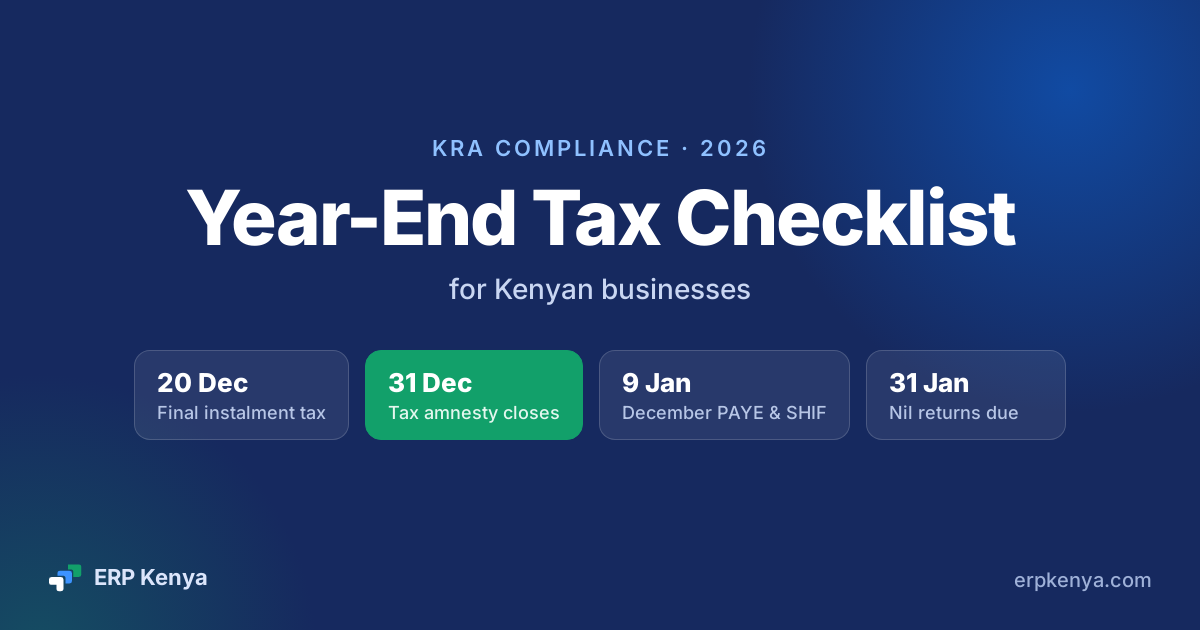
- 20 December 2026: final instalment tax for companies with a December year end.
- 31 December 2026: tax amnesty closes. Principal must be paid in full for penalties and interest to be waived.
- 9 January 2027: December PAYE, SHIF and NSSF due. The Housing Levy is due by the ninth working day.
- 20 January 2027: December VAT return and payment due.
- 31 January 2027: nil returns for the 2026 year of income.
- February 2027: P9 forms to employees, and the next NSSF phase once gazetted.
- 30 April 2027: balance of company income tax for a December year end.
"This checklist is a general guide based on KRA notices and the Finance Act 2026 as of November 2026. Tax rules change, and your situation may differ, so confirm the details with KRA or your tax adviser before you act."
Most of this list comes down to one thing: your books, your eTIMS records and your stock need to tell the same story. If they live in separate systems, year end is when the gaps show. See how eTIMS works with ERPNext, or book a demo to see it on your own processes.